


Baby & Pregnancy Tracker App
4.71.00 Reviews
App Specs
- Version
- 1.0.12
- Updated On
- License
- Free
- Downloads
- 1,000,000+
- Developer
- ZAppsolution
- Categories
- Parenting
- Platform
- Android
Screenshots
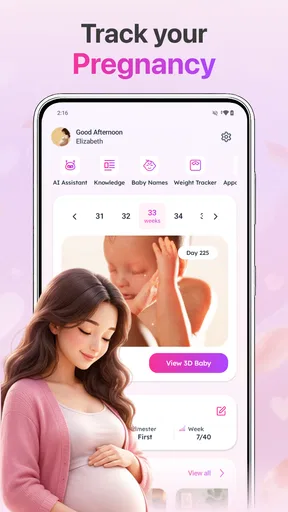
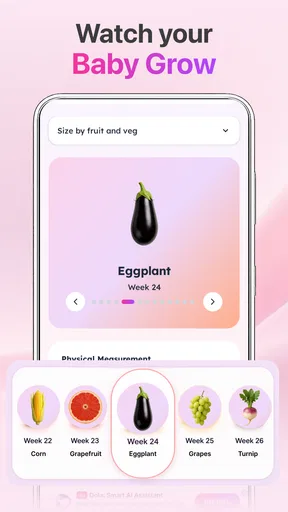

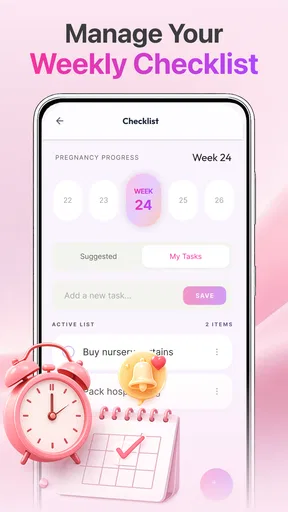
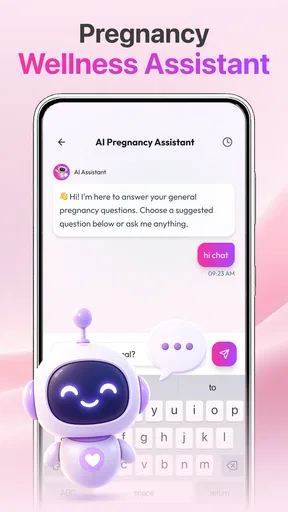
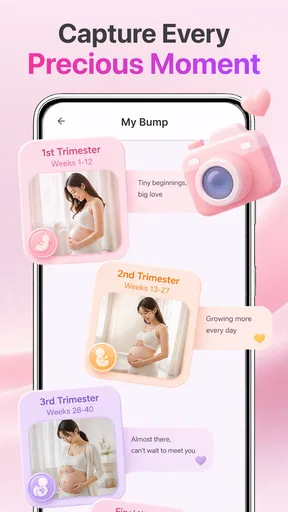
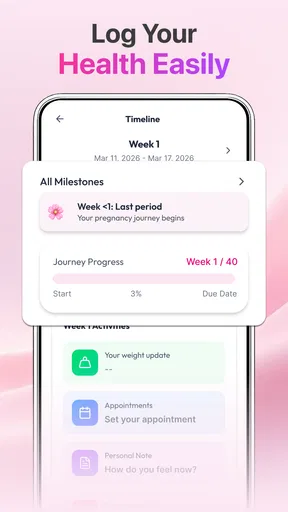
 Analysis by AppCompare
Before I would make any pregnancy tracker part of my routine, I’d ask two practical questions: does it help me find the kind of information I need, and am I comfortable with the choices it presents around personal details? Baby & Pregnancy Tracker is a parenting app from ZAppsolution focused on pregnancy and baby growth. I see its appeal as a quick reference for everyday questions, not as a substitute for professional care or a private medical record.
Start with a small, low-pressure trial
I would begin by exploring the parts of the app that do not require me to commit to a long-term routine. Look at whether its pregnancy and growth material answers the questions you actually have, and notice when it asks for information or presents a paid option. That first pass is useful in its own right: it lets you judge the app’s fit before deciding whether to rely on it or share personal details.
A useful test is to bring one real question to the app rather than browsing at random. If you want a general sense of how growth information is organized, check whether the relevant material is easy to locate and understandable. If your question concerns a symptom, a measurement, or an individual medical decision, use the app only to help phrase what you want to ask a clinician. That distinction helps prevent a general reference from being mistaken for personalized advice.
A useful reference, with sensible limits
The basic idea is easy to understand, which matters when you are tired or juggling appointments. Rather than searching across unrelated pages, you can use a tracker focused on pregnancy, baby size, growth, and tips. That focus can make the app a practical companion for someone who wants a simple routine: check the relevant information, note what prompts a question, and bring that question to a midwife, doctor, or other qualified professional.
Still, a tracker is only as helpful as the way you use it. Pregnancy and infant development do not follow a perfectly uniform schedule, and a general app cannot assess an individual medical situation. I would treat its guidance as background information, not a diagnosis or a reason to delay care. If a symptom worries you, contacting a clinician is the better next step than trying to settle the issue with an app.
The product is listed as a free app, with optional in-app purchases priced from $1.99 to $11.99 per item. That gives curious users a way to try the basic experience before deciding whether any paid option is worth considering. I would check what an in-app purchase actually unlocks before paying, and whether it is useful for your particular stage of pregnancy or parenting. The app is rated for Everyone, but that age label does not mean every piece of health-related guidance is intended to replace adult judgement or medical advice.
What the rating and reach can—and cannot—tell you
With a 4.7 average from around 1.6 thousand ratings and over 1 million installs, Baby & Pregnancy Tracker has attracted substantial interest. Those figures are a reassuring sign that many people have chosen to try it, but they do not establish that every tip suits every family. I would use the rating as a reason to consider the app, not as proof of clinical accuracy or a guarantee that its approach will fit your needs.
Worth Reading Before You Choose

Flipboard Shows What News Apps Must Do Beyond the Feed

Switching to Android Auto Means Rethinking Your Driving Routine

Google Calendar Makes a Crowded Week Easier to Manage

Ludo King Makes the Most of the Minutes Between Plans

Baby Panda World Brings Quick Play to Modern Phones, but Its Game Library Feels Busy

ESPN’s Live Game View Makes Following Close Games Easier
There is also a difference between popularity and transparency. For a parenting tool that may be opened during personal moments, I want to understand what permissions it requests, how information is handled, and what choices I have over an account or saved details. I would make that check in the app’s permission prompts and privacy information before entering anything sensitive. I would not assume that a tracker needs access to unrelated parts of a phone simply because it concerns pregnancy.
Build a routine without turning it into a chore
A tracker works best when it supports a routine you already have, rather than demanding constant attention. One practical approach is to open it at a predictable time—perhaps when preparing for an appointment or reviewing the week ahead—and write down only the questions that matter to you. That keeps browsing purposeful and makes it easier to separate general information from concerns that deserve a professional answer.
For example, imagine you are packing for a prenatal visit and remember that you wanted to ask how your baby’s growth compares with the stage of pregnancy. You can use the app’s growth-oriented material as a reminder to frame the question, then discuss your own measurements and circumstances with your clinician. The useful part is not treating a comparison as a verdict; it is arriving with a clearer question. This is a more grounded use than repeatedly checking for reassurance whenever uncertainty comes up.
Another small but useful habit is to distinguish reference material from personal records. If you use the app to look up baby-size information or tips, keep medically important notes—such as symptoms, medication questions, or instructions from a clinician—in a place you already trust and can reliably access. A general tracker should not become the only home for information you may need urgently. This division also makes it easier to change apps later without losing the notes that matter most.
Privacy deserves attention at the moments that matter
Pregnancy information can feel especially personal, so I would pause before entering details that are not necessary for the task at hand. Read the permission request when it appears rather than tapping through automatically, and consider whether the requested access makes sense for the feature you are trying to use. If the app offers account settings or data controls, review them before making the tracker part of a long-term routine.
I cannot judge the app’s data practices from its growth-tracking purpose alone, and I would not infer them from its popularity or price. My practical advice is to look for the developer’s privacy information, check the app’s permission settings on your device, and use the least personal detail needed to get value from it. If you are uncomfortable with what a prompt requests, pause and decide whether that function is essential; convenience is not a good reason to share more than you intend.
That caution applies to shared phones, too. If a partner or family member sometimes uses your device, consider whether notifications or visible app screens could expose information you would rather keep private. Check the phone’s notification controls and the app’s own options if available. These are sensible checks for any sensitive tracker, not evidence that this particular app exposes private information.
Make the app fit the person using it
This kind of reference can be most helpful when two caregivers have different levels of familiarity with pregnancy terminology. One person can use the app to get oriented before a conversation, then bring the same question to an appointment or discuss it with their partner. I would avoid treating the app as a shared source of truth for a specific pregnancy, though; the clinician’s advice and the pregnant person’s own circumstances should guide decisions.
If you are comparing information with a book, a general parenting site, or another tracker, compare the purpose rather than expecting every source to do the same job. A compact app can be convenient for a quick check, while a book may offer longer explanations and a medical portal may be better for personal care information. I would not try to settle a disagreement between sources by choosing whichever sounds most reassuring. For anything that affects care, take the question to a qualified professional.
It is also worth deciding in advance what would make you stop using the app. For me, that might be repeated prompts for details I do not want to provide, paid boundaries that make the useful material inaccessible, or content that encourages me to compare a general reference with an individual medical assessment. Having that threshold in mind makes it easier to keep a trial genuinely low-pressure instead of continuing out of habit.
Who is likely to get the most from it?
I think the app is best suited to expectant parents who want a focused reference for growth and pregnancy tips, and to caregivers who prefer having related material in one place. It may also help someone who is new to pregnancy terminology and wants prompts for follow-up questions. The key is to use it as a companion to conversations with healthcare professionals, rather than as the authority on what is happening in an individual pregnancy.
It may be a poor fit if you want a medically supervised record, detailed clinical decision support, or a tool that replaces appointment notes and direct care. It is also not the right choice for someone who dislikes apps that may offer paid extras, or who is unwilling to review privacy and permission choices before using a health-adjacent product. In those cases, a clinician’s guidance, a paper notebook, or a tracker whose controls and policies you have reviewed may suit you better.
Compared with the usual alternatives in parenting, Baby & Pregnancy Tracker appears oriented toward quick pregnancy and baby-growth reference rather than being a general family organizer. That focus is a strength if you want relevant material without a broader set of unrelated tasks. A dedicated medical portal is the stronger option for personal test results and clinician communication; a notes app may be simpler for keeping your own questions and observations. The best choice depends on whether you want reference content, a personal record, or care-team access—those are different jobs.
What to check before relying on it
The app is developed by ZAppsolution, and its current version is 1.0.12. It requires Android 8.0 or later, so it is worth checking compatibility before planning to use it on an older device. If you are considering it on another platform, check the relevant app store’s device requirements and listing before installing rather than assuming the Android requirements apply everywhere.
After installing, I would spend a few minutes on three checks before building a habit around it. First, review the permissions and deny anything that seems unrelated to the task you want to perform. Second, read the privacy and account controls so you know what choices are available. Third, explore whether the information you need is accessible without a purchase; the optional price range makes it sensible to understand the boundary between free use and paid extras before committing.
Those steps also help answer a practical question: can you use the app in the way you want without sharing more than you are comfortable sharing or paying for something you do not need? If the answer is yes, the focused reference may be useful. If you cannot find controls that meet your expectations, or if the content does not match the questions you actually have, there is little reason to force it into your routine.
My cautious recommendation
I would recommend Baby & Pregnancy Tracker to someone who wants a straightforward pregnancy and baby-growth reference and is comfortable checking its privacy choices before entering personal information. Its clear focus, free entry point, and strong average rating make it reasonable to try, while its optional purchases mean it is worth confirming what remains available without paying.
My recommendation comes with a firm boundary: use its tips to inform questions, not to make medical decisions. Check permissions, understand any account or data controls you choose to use, and keep important health notes somewhere dependable. For a reader who wants focused reference material and can maintain those boundaries, the app could be a convenient addition. For someone seeking clinical oversight, a complete medical record, or a tool whose data practices they have already verified to their own standard, another resource will be the better fit.
Pros
- Tracks pregnancy milestones and baby's development week by week.
- Keeps key dates and pregnancy notes together in one place.
- Offers reminders that can help users stay on top of appointments.
- Provides a convenient way to record symptoms and personal updates.
- Simple tracking can make changes throughout pregnancy easier to follow.
Cons
- Pregnancy information is general and cannot replace medical advice.
- Some features may require an account or a paid subscription.
- Notifications can become distracting if too many reminders are enabled.
- Tracking details depends on users entering information consistently.
- The app may collect sensitive health data; review its privacy policy first.
FAQs for Baby & Pregnancy Tracker App
What can I track with Baby & Pregnancy Tracker App?
Baby & Pregnancy Tracker App is designed to help you follow key information throughout pregnancy and early parenthood. Depending on the features available in your version, you may be able to record pregnancy milestones, symptoms, appointments, and notes, or keep track of your baby’s feeding, sleep, diaper changes, and growth. Check the app’s current feature list before downloading, as tools can differ by platform or update.
Is Baby & Pregnancy Tracker App suitable for every stage of pregnancy and a baby’s first year?
The app may be useful during pregnancy and after your baby arrives, particularly if it offers separate pregnancy and newborn tracking tools. However, the available guidance and tracking options can vary, and not every feature will be relevant at every stage. Review the app description to confirm that it covers the period you need, whether that is pregnancy, newborn care, or ongoing baby milestones.
Can Baby & Pregnancy Tracker App replace advice from a doctor or midwife?
No. A tracker can help you organize dates, symptoms, questions, and daily routines, but it cannot diagnose a health problem or provide care tailored to your medical history. Treat educational content as general information and discuss concerns with a qualified healthcare professional. If you experience urgent or worrying symptoms, contact your doctor, midwife, or emergency service rather than relying on the app.
Is my pregnancy or baby information private in Baby & Pregnancy Tracker App?
Pregnancy and childcare records can contain sensitive personal information, so review the app’s privacy policy before entering details. Look for an explanation of what data is collected, whether it is shared with third parties, how it is stored, and whether you can delete your account or records. Also check the permissions requested by the app and avoid entering information you are not comfortable sharing.
Is Baby & Pregnancy Tracker App free, and does it require an internet connection?
The download may be free, but some apps offer optional subscriptions, paid upgrades, or features that require payment. Check the store listing for pricing, trial terms, and renewal details before subscribing. Internet access may be needed for account setup, syncing, or updated content, while basic tracking may work offline; confirm this in the app listing and test what remains available without a connection.


